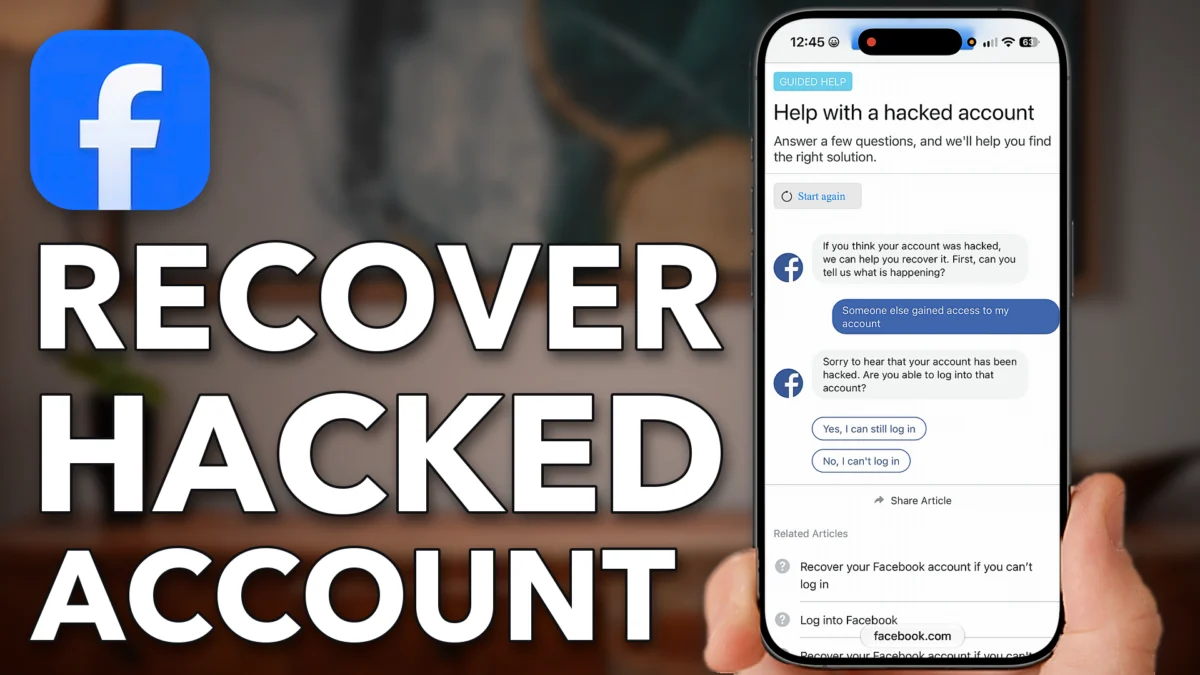
If someone hacked your Facebook account and changed the phone number and email on it, the normal login screens can’t help you. Only Facebook can recover the account, no matter what a third party claims, so you need Facebook’s own hacked-account path. This post walks through finding it in the Help Center from a browser on your iPhone, Android or computer, then starting the recovery steps at facebook.com/hacked.
Ask Facebook For Help
This part takes you through Facebook’s Help Center to the hacked-account questions. Keep in mind that if your phone number or email address are no longer on the account, only Facebook can recover it, not any third party, even one that claims it can.
Search for the Facebook Help Center
Open a web browser on your iPhone, Android or computer, type Facebook help center into Google and tap Help Center at the top.
Tap Ask a question and search for hacked
At the top tap Ask a question, type in hacked and tap Search. Scroll down and tap Help with a hacked account.
Tap Cancel to stay on the website
When it offers to open the app, tap Cancel so you stay in the website version.
Tap Someone else gained access to my account
Scroll down and tap Someone else gained access to my account.
Tap No, I can’t log in
Scroll down to the question about whether you can log in. In most cases the hacker changed the phone number and email so you can’t, so tap No, I can’t log in.
Tap No, I don’t have access
Scroll down and tap No, I don’t have access to the phone number or email address on the account, because again, they changed it.
- Tap
 facebook help center
- Help Center
- Ask a question
- Search
 Help with a hacked account
- Someone else gained access
- No, I can’t log in
- No, I don’t have access
Start The Recovery Steps
Facebook’s hacked-account page walks you through security steps to get the account back, even when the login details were changed.
Go to facebook.com/hacked
Scroll down and go to facebook.com/hacked. It says it will walk you through some security steps to recover your account even if it’s been hacked.
Use a device you normally use
You can start these steps on any device, but it works best on one that was previously logged into that Facebook account. Do it at home or somewhere you’re regularly at, on the device you regularly use for Facebook.
Tap Next
Tap Next at the top left and it pops you either into Facebook or somewhere else. It also says that if you’re worried about this, you can log into your account.
Follow the recovery steps
I was already logged in, so for me it just popped in and asked whether I think somebody logged into my account. Normally, tapping Next pops you into the app and walks you through the steps to recover the account, and again, only Facebook can do this.
- Tap
- facebook.com/hacked
- Next
 Safari
- Next
Watch this on YouTube and ask your question in the comments.