Settings that matter
The switches that save battery and keep your phone private.
iPhone 101 · the waitlist
iPhone 101 goes through your iPhone in order, in six modules. Each module is broken into short lessons of 3 to 8 minutes. Every tap is on screen, so you can pause and do the same on yours.
the guide is emailed to you right away
After that, I send about one free email a week with one useful iPhone tip. You can unsubscribe any time. Your address goes to and nowhere else.
Channel totals from my YouTube analytics, as of November 2026.
Start here
Pick one. Each topic has free videos with the steps written out.
The switches that save battery and keep your phone private.
Keep your photos safe, and use the camera to scan papers.
Stop spam calls and fix choppy calls at home.
Block ads and keep your browsing private.
New on the site
Many of my newer videos get their own page here. Each page has the video and every tap in order. You can watch it, read it, or both.
 How To See Your Gmail Password If You Forgot ItIf you forgot your Gmail password, it may still be saved on your phone. There are three places to look, and Google…Watch and read
 Your iPhone May Be Scanning Your Photos For Nudity!If a photo on your iPhone is hidden behind a warning that says it could be sensitive, one of two settings is…Watch and read
 How To FIX iPhone Keeps Rebooting Logo Error!If your iPhone keeps restarting and only shows the Apple logo, a force restart can break the loop. Then update iOS and…Watch and read
 My iPhone Won’t Turn ON Or Charge: Black Screen – Fixed!If your iPhone screen is black and it won't turn on, the battery may be empty or the iPhone may be frozen.…Watch and read
 Forgot Your iPhone Passcode? How To Regain Access – No Computer!Forgot your iPhone passcode? You can get back in without a computer. You erase the iPhone with your Apple Account password, then…Watch and read
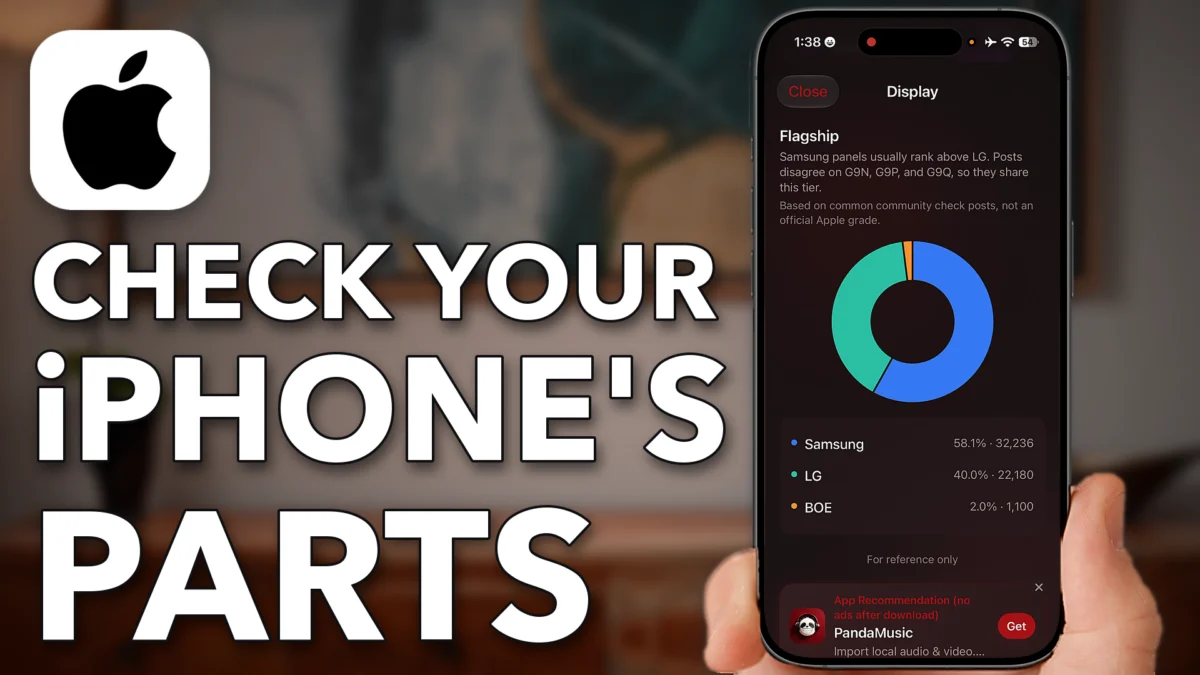 Same iPhone But Different Displays? Check Which One You Got!Two iPhones of the same model can have a display, battery or camera from different suppliers. A free third-party app reads a…Watch and read
 hi, that’s me
Who makes the videos
I started on YouTube in July 2019, and my first iPhone how-to went up in October 2020.
Before that I was a geologist. I studied geology at UNC, earned a Ph.D. at Duke, and worked for Shell. I also wrote about science for Forbes and started Science Trends, a science website.
Now I make these videos full time from Raleigh, North Carolina. I read the comments, and the questions you ask most become the next videos.
How it happened
Three steps
Learn where the main settings and screens are, so you don’t have to hunt for them.
like Settings › Privacy & Security
Watch a lesson, pause it, and do the same on your own phone.
pause, tap, play
Each iOS update moves a few things around. I update the course for every new iOS, at no extra cost.
iOS 26, iOS 27, and the next one
the course puts all of it in one place, in order
Why a course, when the videos are free?
A video answers the question you have today. The course also covers the questions you haven’t run into yet, in the order you’ll likely meet them.
One video
Like a dictionary
iPhone 101
Like a book
The lessons look like my videos: slow and clear, with the tap trail. See how the tap trail works
iPhone 101 · the six modules
Six modules, from the first day with a new phone to the day something goes wrong. Each module is broken into short lessons of 3 to 8 minutes, so there is a lot more here than six videos. Tap a module to see what’s in it.
After this module, you can set up a new iPhone, move over from your old one and get the key settings right on day one.
After this module, you can start a group text, set up voicemail, block a number and call family on FaceTime.
After this module, you can know where your photos are stored, share an album and free up space without losing a picture.
After this module, you can make your phone more private, use passkeys and two-factor codes, and spot a scam before it costs you.
After this module, you can get more out of the apps already on your phone, including the features most people never find.
After this module, you can fix the common problems yourself and know when it’s time to call Apple.
Every module is broken into 3 to 8 minute lessons, every tap on screen
Each module has its own set of lessons. Watch one, try it, and come back tomorrow. Works on any iPhone that runs iOS 26 or 27 (iPhone 11 and newer).
A lesson’s tap trail
SettingsWhat you get
iPhone 101 is a paid course. It isn’t open yet. The waitlist is free, and it gets you the lowest price.
iPhone 101opens early 2027
Priceunder $100
Paymentsone
Waitlist pricethe lowest it will ever be
Works on iPhone 11 and newer, iOS 26 or 27
when it opens, early 2027
Under $100
one payment · lifetime access
every new iOS included
Waitlist gets the lowest price
joining is free · the course opens early 2027
Buy iPhone 101, watch it and try it on your own phone. If it doesn’t make your iPhone easier, email me within 30 days and I’ll refund every penny. Keep the guide.
Trevorif it doesn’t help, you get your money back
The free part
The course will cost under $100. Joining the waitlist costs nothing, and you get these four things.
A 14-page guide with the exact taps for each setting. It arrives by email as soon as you join.
About once a week, I send one useful iPhone tip. Every email has an unsubscribe link.
You hear first when iPhone 101 opens.
Waitlist members get the lowest price the course will ever have.
Every lesson looks like this
SettingsThe same trail runs along the bottom of every video and every lesson, so you can keep your place.
Questions
No. The course will cost under $100, one payment, when it opens in early 2027. The waitlist, the guide and the weekly email are free. Waitlist members get the lowest price.
Yes. I made it for people who aren’t tech people. Every lesson shows every tap, with no jargon and no rush.
The course works on any iPhone that runs iOS 26 or 27. That’s iPhone 11 and newer. To check your iOS, go to Settings › General › About.
The lessons go one tap at a time. Every tap is listed along the bottom of the screen, in order, so you can pause anywhere and catch up on your own phone. Each lesson is 3 to 8 minutes, so you can stop after one and come back tomorrow.
You get an email from me right away, with a link to download the guide. If you don’t see it in a few minutes, check your Promotions or Spam folder. Your email goes to Kit, my email service, and nowhere else.
Email me within 30 days for a full refund. Keep the guide.
The iPhone 101 course is iPhone only. Go to the Android part of this site for my Samsung Galaxy and Android videos written out, a free Android guide and Android 101, the Android course I’m planning. New Android videos go up on my channel Trevor’s Android.
Join the free waitlist and get the guide right away. You hear first when iPhone 101 opens, and you get the lowest price. The course itself will cost under $100.
The waitlist is free · unsubscribe any time · your email goes to Kit and nowhere else